
Make copyright click for you.
It all starts with registration with the U.S. Copyright Office. What do you want to register today?
Learn about the full RightsClick® copyright management suite.
- Fast, easy copyright registration.
- Build your rights portfolio.
- Take action against infringements.
- Responsive customer support.

How to Protect Your Work
01
Registration with the Copyright Office
Copyright is technically automatic the moment a work is “fixed” in a medium of expression. But in order to fully enforce your rights under U.S. law, timely registration is required.

02
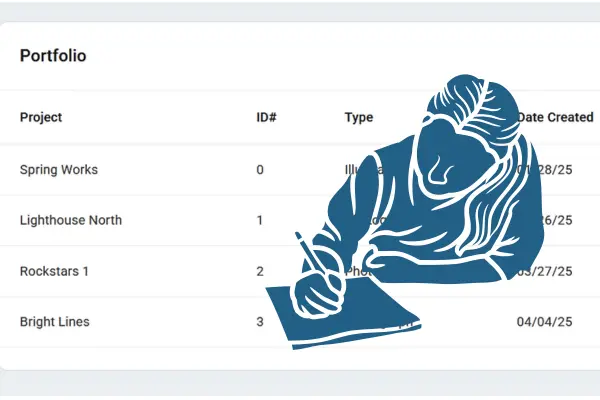
Maintain Your Copyright Portfolio
When you need to enforce your rights, the first thing you need to know is the copyright status and information related to the work you believe has been infringed. RightsClick is designed to build that searchable database, typically at the same time you apply for registration.
03
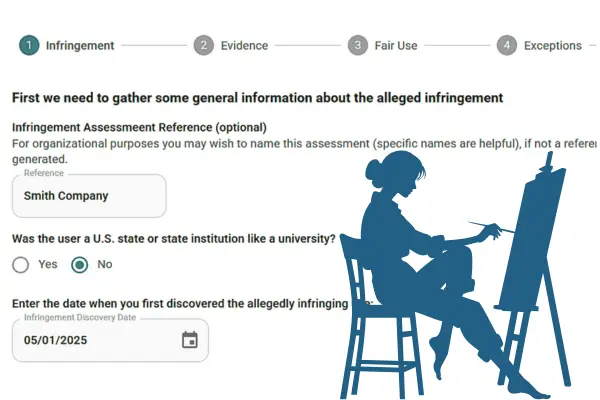
Take Action Against Infringements
Having the right information at your fingertips and knowing what to do first is the start of an effective resolution to an infringement of your work. Learn how the RightsClick tools help you do this.
Member discounts
Members of these organizations enjoy extended free trials, discounts, and other benefits. Click the logo to check your Members page for details.


TESTIMONIALS
What Our Customers Say

RightsClick has been one of the best and most important additions to my workflow in my business because it’s an investment in protecting and creating actual income from my work.
Michael Forks
Photographer
I’ve been registering copyrights for over 40 years, and this is the slickest, fastest way to do it. I truly appreciate when a company does what they say they will do.
William Hillman
Writer / Filmmaker
My copyright challenges suddenly evaporated — and Rights Click became my copyright angel!
Their video tutorials were great and very quickly I started copyrighting images.
Teri Bloom
Photographer
Meet Our Team
Built by Experts
RightsClick co-founders David Newhoff and Steven Tepp have been defending copyright for decades. They know why the system often doesn’t work for independent creative professionals. Now, they’re using that experience to help creators succeed.

David Newhoff
David is a co-founder of RightsClick and from 2011 to 2026 was an independent adviser to creators and the creative community. He has written extensively about copyright law, both protections and practices, and is the author of the book, Who Invented Oscar Wilde?: The Photograph at the Center of Modern American Copyright.

Steven Tepp
Steven’s extensive background in IP law and policy began as an attorney for the U.S. Senate Judiciary Committee, after which, he served as senior counsel for Policy and International Affairs at the U.S. Copyright Office and then as Chief Intellectual Property Counsel for the Global Intellectual Property Center of the U.S. Chamber of Commerce. Before co-founding RightsClick, he started the IP consultancy Sentinel Worldwide and taught copyright law at George Washington University Law School.
Pricing
Register one work at a time.
No need to subscribe to the full suite.
Manuscripts, screenplays, musical works, visual works, sound recordings, and more.

We’ll get it done faster and cheaper than other copyright registration services!
$74.95
Copyright Management Suite
For managing many works of any type by one creator.
- Group Registration
- Manage Large Portfolios
- Enforcement Tools
- Support
$11.95
/month
Use promo code for one month free:
ITSMYWORK26
Enterprise Account
For attorneys, publishers, and enterprises managing copyright for multiple creators.
- Group Registration
- Manage Large Portfolios
- Enforcement Tools
- Multiple Creators
- Support
Contact us for pricing!
BLOGS
Explore Our
Latest Articles
Information and insight into copyright related news, including legislation, litigation, and administrative changes affecting creators.
-

Why Copyright Registration Is Your Best Legal Defense Against Infringement
The U.S. Copyright Act says your creative works are protected by copyright the moment they are “fixed in a tangible medium…
-
When Copyright Registration Fits Into the Photographer’s Workflow
Photographs are one of the most commonly infringed types of work in the digital age, and yet, photographers often do not…
-
Copyright Registration Options for Photographers
As a professional or even amateur photographer, you know you need to register your photos with the Copyright Office to be…

Have Questions? Get in Touch!
Send a Message
FAQ
Frequently Asked Question?
Where do I start?
Are you new to RightsClick? The first step is to upload the works you want to protect. Go to “Portfolio” on the left side of the home screen. Then create a new “Project,” which is like a folder. Then add your works, which we call “Titles” to the appropriate “Project.” Once you have done that, you can use our tools to help submit one of those works for registration or run an Infringement Assessment. And then you can choose enforcement actions if you would like.
Am I giving my rights to RightsClick?
No!! RightsClick, Inc. is here to help you make your rights meaningful for YOU, not take them away! All RightsClick needs is your permission to do what you want to do – like store a copy of your work (privately) or send a Cease-and-Desist letter that includes a copy of your work. The details are in the Terms of Service.
What about the deposit copies for the Copyright Office?
If you use RightsClick to help submit an application for copyright registration, you will have to upload a copy of your work. We will use that to submit the deposit copy that is required as part of the application. Any extra copies made as part of the process of submitting the application will be deleted – the only copy that stays is the one you uploaded. RightsClick will never make any copies of your work publicly available.
Do I have to submit physical copies to the Copyright Office for registration?
Certain published works require physical deposits. See guidelines here to know whether you need to submit physical copies. Although digital deposit copies are most common and highly recommended, RightsClick can facilitate applications requiring both digital and physical deposits.
I need help understanding all the legal jargon.
Click “Learn” on the left side of the page for a glossary of key legal terms. We did our best to write them in understandable English.
Is RightsClick providing legal advice?
No. RightsClick is designed to help you manage your portfolio, primarily by storing and keeping track of facts relevant to copyright law; to help you understand the law and what it means in practice; and to help you with enforcement actions you choose to take. Nothing in the suite of tools should be considered legal advice. The material is there to provide you with information to consider. And when in doubt, we always recommend contacting an attorney.
What is your refund policy on filing fees?
Filing fees are a combination of fees set by the Copyright Office plus our fees for processing your claims. If we commit an error that requires refiling of a registration application or a CCB claim, we will redo the filing at no additional cost to you. We cannot provide refunds in circumstances in which you commit an error, or if the Copyright Office rejects an application for registration or if the CCB rejects a small claim at their discretion. For specific complaints and requests for refunds, please write to Info@rightsclick.com. You can send compliments and suggestions there, too!
What If I Want to Cancel My Account?
You may cancel you subscription at any time, but please be aware that your data will not be saved. To cancel, go to Account Settings, and in the Billing Tab, click “Deactivate Account.”
Please do write us with questions, and we’ll be happy to answer them. But RightsClick cannot provide legal advice.